Download the Test Drive
Click the demo button and download the Windows test drive executable from V5Train.

Free test drive
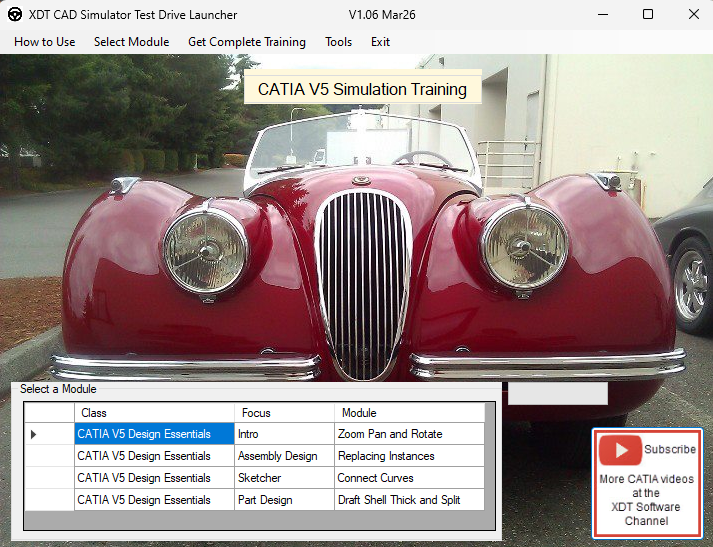
Download the free XDT CADSimulator Test Drive to see how the video, simulation, module selection, and guided practice feel on your Windows PC.
What is included
The Test Drive launcher lets you select a sample module and experience the same training style used in the full CATIA V5 course.
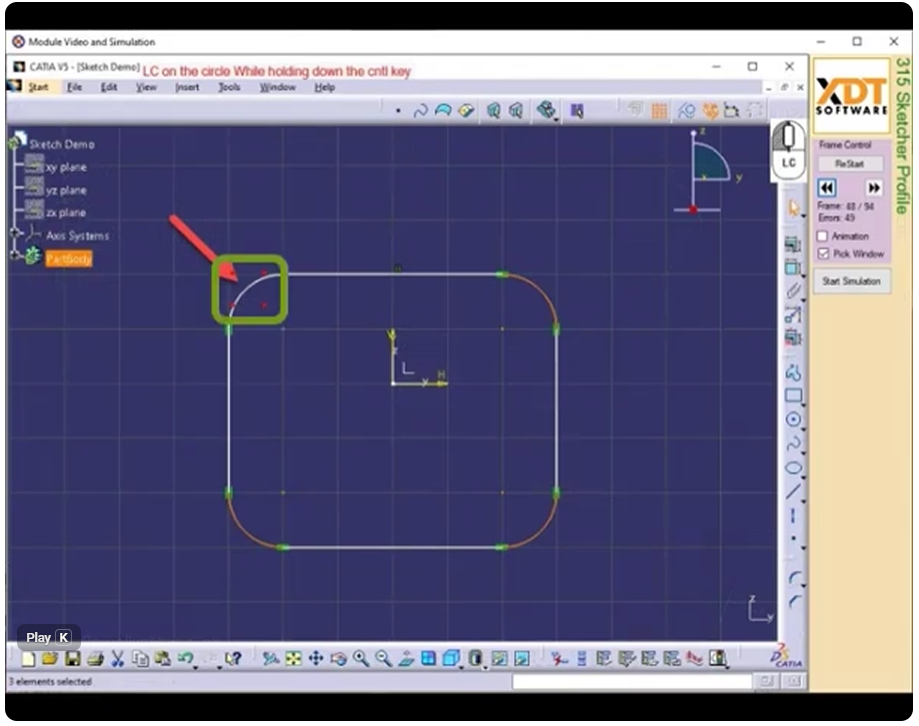
The same explainer video from the course page shows the start page, lesson video area, simulation section, and grading workflow.
The demo is designed to answer the most important question before purchase: does this training style make sense for you?
Click the demo button and download the Windows test drive executable from V5Train.
Use the launcher to choose one of the four included sample modules.
Follow the lesson, then practice the CATIA-style mouse movements, menu choices, and guided command sequence in the simulator.
If the training style works for you, continue to private enrollment or contact a partner college.
The simulator runs on a Windows PC and does not require CATIA to be installed.
The demo is simulation-based training. It prepares you for CATIA V5 workflows without installing production CATIA software.
Private enrollment gives you one full year of access to the full online lessons and XDT CADSimulator training.
Download the free Test Drive with four sample training modules.